Computer Skills That Are in Demand Today (2026 Guide)
Discover the most in-demand computer skills in 2026 and how they improve job opportunities, remote work options, and long-term career growth.

Web developer and digital tools creator who analyzes modern workplace trends and writes practical guides for students and professionals.

Computer Skills That Are in Demand Today (2026 Guide)
Technology now touches almost every industry.
Whether you want:
- An office job
- A remote role
- Freelance income
- Or your own online business
Having the right computer skills gives you a real advantage.
Employers no longer ask “Can you use a computer?”
They expect you to work efficiently with digital tools.
If you are starting from zero, begin here:
Once you have the foundation, these are the skills that are truly in demand in 2026.
 Modern jobs require multiple layers of digital competence.
Why “In-Demand” Skills Matter
Companies invest money in hiring.
If you already have useful digital skills:
- You reduce training time
- You increase productivity
- You qualify for remote roles
- You negotiate better pay
In-demand skills are not about trends.
They solve real business problems.
1. Data & Spreadsheet Skills
Every business uses data.
Even small companies track:
- Sales
- Expenses
- Inventory
- Performance metrics
Core Tools
- Microsoft Excel
- Google Sheets
Key Abilities
- Using formulas (SUM, AVERAGE)
- Sorting and filtering
- Creating charts
- Basic reporting
 Basic data handling makes you valuable in almost any office role.
If you need to improve basics first:
2. Digital Communication Tools
Remote and hybrid work are normal now.
You must confidently use:
- Gmail or Outlook
- Zoom or Google Meet
- Slack or Microsoft Teams
Key skills include:
- Writing clear emails
- Joining and managing online meetings
- Sharing files
- Collaborating in group chats
 Online communication is now a standard workplace expectation.
If you want to improve email quality:
3. Graphic Design Basics
Visual content drives attention.
Companies need:
- Social media graphics
- Posters
- Simple presentations
- Product images
Beginner Tools
- Canva
- Basic image editing apps
- PowerPoint design tools
You do not need advanced design skills.
Clean, readable, structured visuals are enough.
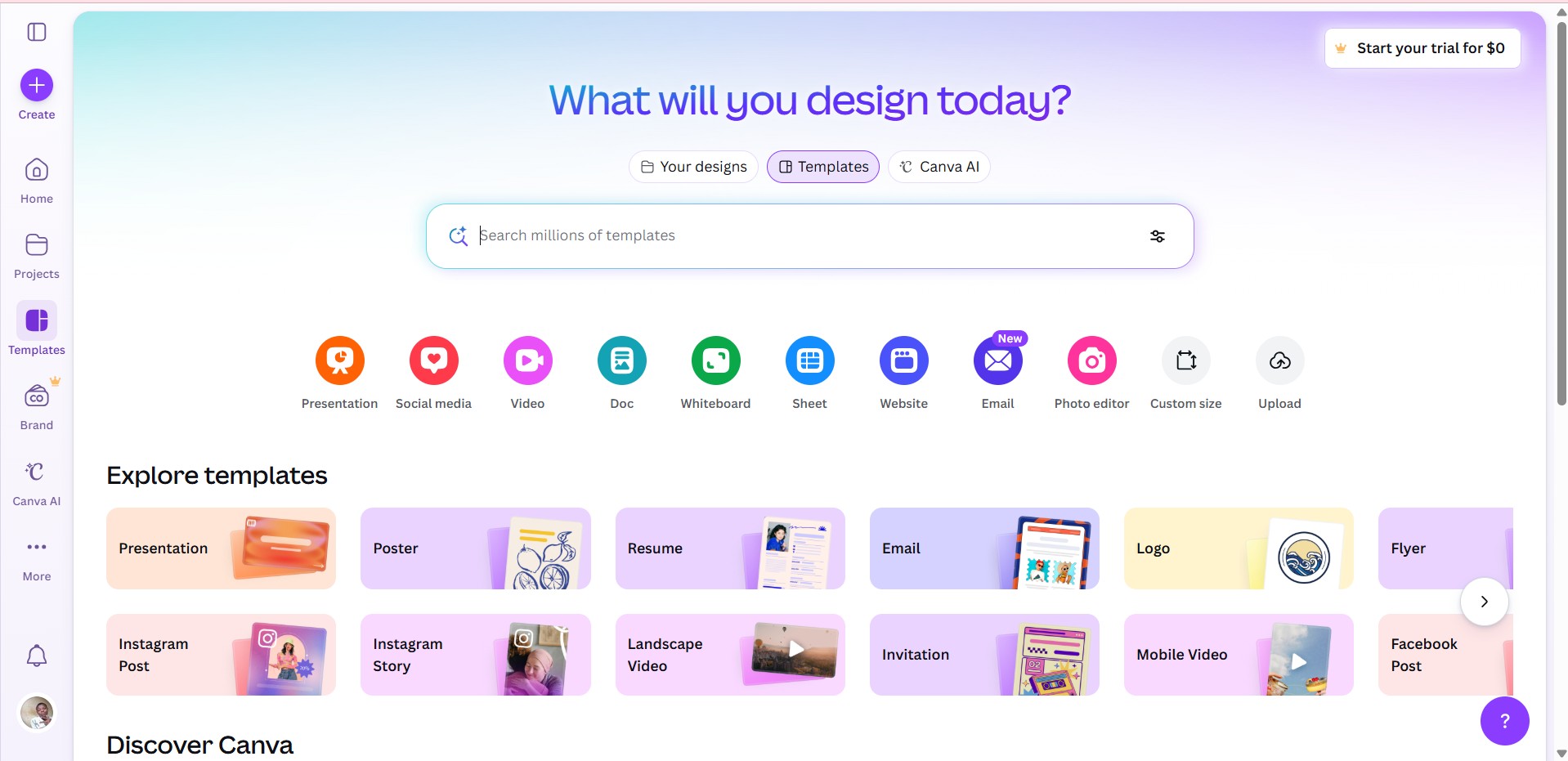
Basic visual design skills increase employability in marketing and admin roles.
4. Website & Content Management
Every business wants an online presence.
Skills in:
- WordPress
- Basic website editing
- Publishing blog content
- Updating website pages
are consistently in demand.
Even small companies hire people just to manage content updates.
If you are interested in digital growth skills:
Computer Skills Required for Every Job (2026)
5. Digital Marketing Skills
Online visibility equals business growth.
In-demand areas include:
- Social media management
- Basic SEO knowledge
- Google Ads fundamentals
- Email marketing tools
You do not need to become an expert immediately.
Understanding how online traffic works already makes you useful.
6. Cybersecurity Awareness
Security is no longer optional.
Even non-technical employees must understand:
- Strong password creation
- Two-factor authentication (2FA)
- Recognizing phishing emails
- Safe file sharing
 Security awareness protects both employees and companies.
If you want practical security tips:
How to Create Strong Passwords You’ll Actually Remember
7. AI & Automation Tools
AI is now integrated into workplaces.
Common uses include:
- Drafting documents
- Generating reports
- Research support
- Workflow automation
Knowing how to:
- Use AI tools responsibly
- Verify AI-generated output
- Improve productivity with automation
gives you a strong advantage.
If you want deeper understanding:
Computer Literacy vs Digital Fluency (2026)
AI literacy is becoming part of modern digital competence.
How to Start Learning (Without Overwhelm)
Do not try to learn everything at once.
Step 1: Choose one skill.
Step 2: Practice daily for 30 days.
Step 3: Build a small project.
Examples:
- Create a budget tracker in Excel
- Design 5 social media posts in Canva
- Launch a simple WordPress blog
- Write professional emails consistently
Employers value practical ability more than certificates.
Final Thoughts
Computer skills in 2026 are not optional.
They are economic survival tools.
The most in-demand skills:
- Help businesses make money
- Improve communication
- Protect data
- Increase efficiency
You do not need to be a genius.
You need consistency.
Learn one skill.
Practice it well.
Then move to the next.
That is how careers are built.
Related Guides
- The 2026 Computer Skills Starter Pack
- Computer Skills for Resume (Freshers Guide)
- 15 Alternatives to “Computer Skills” on Your Resume
About the Author
Jadox is a web developer and digital tools creator who studies workplace technology trends and publishes practical guides to help students and professionals stay competitive in the digital economy.
This article reflects skill trends in 2026. Demand may vary by industry and region.
Keep learning
Practice task
- Create a folder named Work Practice.
- Create three subfolders: Documents, Images, Downloads.
- Open Google Docs or Microsoft Word.
- Write a short paragraph about yourself.
- Save the file inside Documents.
Topics
Frequently Asked Questions
What are basic computer skills?
Basic computer skills include typing, using a mouse and keyboard, managing files and folders, browsing the web, using email, and working with simple documents or spreadsheets.
What computer skills should I put on my resume?
Add skills that match the job, such as Microsoft Word, Excel, Outlook, file management, data entry, online research, video meetings, and cloud storage.
Can I learn computer skills without a course?
Yes. You can learn computer skills with free guides and steady practice, especially when you use real tasks like creating folders, writing documents, and sending emails.
How long does it take to learn basic computer skills?
Many beginners can learn the basics in a few weeks with regular practice, then improve through daily use at school, work, or home.
Continue learning
Related posts
Computer Skills: Complete Guide for Resume, Work, and Beginners
A beginner-friendly pillar guide to practical computer skills for resumes, job applications, office work, students, and everyday digital confidence.
Read guideHow to Write Professional Emails: A Beginner Guide
Learn how to write clear, polite, professional emails for work, school, job applications, and everyday communication.
Read guideHow to Create Strong Passwords You’ll Actually Remember
Learn a simple system to create strong, unique passwords for every account without needing to memorize random characters.
Read guide